
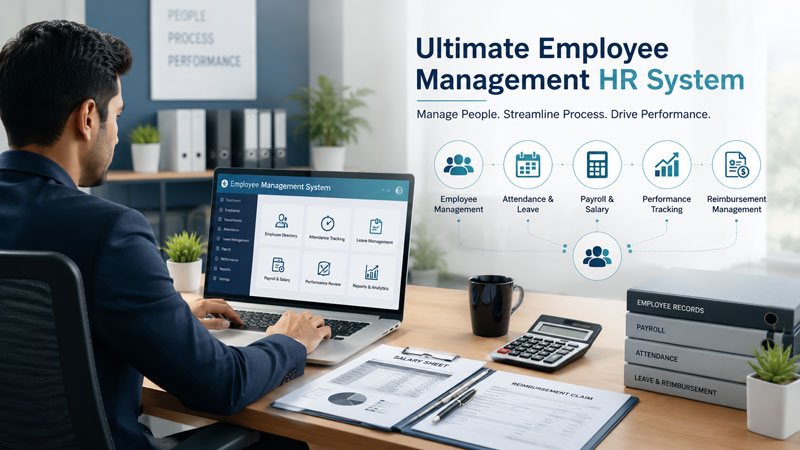
Managing people is one of the most important things any business does — and also one of the most mismanaged. This guide shows you how to build an ultimate Employee Management HR System in Microsoft Access, the kind of system most small and medium-sized businesses desperately need but never get around to building. Right now, HR in most of these businesses still runs on a mix of spreadsheets, handwritten registers, and email threads. Salaries get calculated manually. Attendance is tracked in a shared sheet that no one fully trusts. Employees have no way to check their own leave balance without asking someone. And payroll day is a mild emergency every single month. That stops here.
This is the exact problem that SkillHeader’s ongoing video series, “Ultimate Employee Management HR System,” sets out to solve. Built entirely in Microsoft Access and designed after studying how real businesses actually operate, the project is one of the most comprehensive HR systems you’ll find built in Access — anywhere. The playlist is still being released in parts as the build progresses, which means you can follow along from the beginning and build your own version as each new video drops.
What Is This Playlist About?
This is an ongoing project series with a planned scope that covers the full range of HR operations a small or medium-sized business typically needs. The playlist currently has eleven videos published, with more in progress. The series is split into a basic version and a more advanced version, and subscribers who purchase the source files receive upgraded open-source project files after every new video is released.
Here’s what has been covered so far across the published videos:
Video 1 — Introduction and Overview sets the stage. It explains the problems with manual HR processes, presents the full feature roadmap, and gives a live demo of what the finished system will look like. It’s a five-minute orientation that makes the scope of the project clear before any building begins.
Video 2 — Startup Interface and Navigation is where the actual build starts. This part covers creating the main navigation form, setting up the four core database tables (Business, User, Employee, and Allowance), and building a Business Information form where you configure your company’s details.
Video 3 — Login and User Control takes the login system seriously from the beginning. It upgrades the Business Information form, creates a new User table and its corresponding form, maps out the complete user login process using a flow chart, and builds the login form with proper authentication logic.
Video 4 — Managing Active Employees introduces the heart of the system. This part covers a New Employee form with integrated allowance management, a tab-controlled Employee Management form (which organizes multiple data sections neatly under a single interface), and an Active Employee Management form that shows current staff at a glance.
Video 5 — Core Settings and Admin Corner builds the configuration layer. A Settings Table stores key-value pairs that drive system behavior, a Settings Form loads those values dynamically, a Settings Function Module centralizes the logic for reading settings throughout the application, and the Admin Corner is integrated into the main dashboard so administrators have quick access to system configuration.
More videos are actively being produced and will continue building out the system’s remaining features.
The Full Vision: What the Completed System Will Do
While the series is still in progress, the full feature roadmap has been published. Understanding where the project is heading gives important context for why each part of the build is being laid out the way it is.
The completed system is planned to cover seven major functional areas:
Why This Kind of System Matters
HR problems in small businesses tend to go unnoticed until they cause real damage. Payroll errors erode employee trust. Attendance disputes are hard to resolve without clean records. Calculating salaries manually each month leaves room for mistakes that are embarrassing at best and costly at worst. And when everything is in a spreadsheet that only one person knows how to use, the whole system becomes fragile.
Building a proper HR system addresses all of these issues at the root. Here’s what actually changes when you have a well-built system in place:
When salary calculations run off configured policies and stored attendance data instead of someone’s manual formulas, errors drop significantly. The math doesn’t change from month to month, and the system doesn’t forget deductions or miscalculate allowances.
A large portion of a typical HR team’s day is spent answering routine questions — what’s my leave balance, can I get a copy of my payslip, when is the holiday. Self-service features answer those questions automatically, freeing HR to focus on hiring, performance, and planning.
When every employee’s details, contract type, attendance, and salary history live in a structured database, pulling up any piece of that information takes seconds. There’s no hunting through folders or asking who has the latest spreadsheet.
Reports on headcount, salary costs, attendance rates, and leave usage give management the data to make real decisions. Most small businesses operate without this visibility because generating it manually takes too long. A reporting module makes it routine.
Whether you have ten employees or a hundred, the database structure and forms scale without needing to be rebuilt. Adding a new employment type, a new allowance category, or a new department is a configuration change, not a rebuild.
With login-based access control, every action in the system is tied to a specific user. That matters for accuracy, for trust, and for resolving disputes when they arise.
Why Building It in Microsoft Access Makes Sense
There’s a legitimate question worth asking: why Access, when there are cloud-based HR platforms available? The answer depends on the context.
For a small or medium-sized business that already uses Microsoft Office, wants to keep data on-premises, prefers a one-time build over recurring subscription costs, and wants full control over customization — Access is a serious and practical choice. Most HR SaaS tools are built for the general case. This system can be adapted to fit exactly how a specific business works, with every field, dropdown, and calculation tuned to that organization’s actual policies.
There’s also a learning dimension. For developers and Access practitioners, this project covers every major skill in the Access toolkit: relational table design, multi-user login and role-based access, complex VBA automation, subforms with dynamic data, settings-driven behavior, and reporting. Working through the series is a genuine education in building real business software, not just exercises.
The Structure of the Build So Far
The Database Foundation
The system starts with four core tables introduced in Part 2. The Business Table stores company-wide details like the organization’s name, address, and logo — information that populates headers, forms, and payslips throughout the system. The User Table holds login credentials and access roles, feeding the login system built in Part 3. The Employee Table is the central record for all staff data. The Allowance Table stores the different allowance types that can be assigned to employees, which feeds directly into the payroll calculation engine planned for later parts.
These four tables are designed at the start because everything else in the system eventually connects back to them. Getting the structure right early avoids having to rewrite relationships later.
The Navigation and Startup Interface
The main navigation form is the application’s home base. It opens after login and provides buttons or menu options to reach every major section of the system — employee management, attendance, payroll, reports, and settings. The design is intentional: users shouldn’t need to understand how the database is structured to find what they need. The navigation form hides that complexity and presents a clean working environment.
The Login and User Control Layer
The login system in Part 3 goes beyond a simple username/password check. It’s built around a flow chart that maps out exactly what should happen at every step — successful login, failed login, first-time user, locked account. This process-first approach means the VBA code that gets written matches the real requirements instead of being patched together afterward.
Role-based access is part of the design from the start. Different users see different parts of the system based on their role. An HR manager might access payroll and reports. A regular employee might only see the self-service portal. The user table and login routing logic handle this separation cleanly.
The Employee Management Forms
The Employee Management form in Part 4 uses a tab control — a design choice that deserves mention. Rather than building multiple separate forms for personal details, employment information, allowances, and documents, everything sits under one form with labeled tabs. The user can move between sections without losing context. It’s a more professional and practical interface than a series of disconnected screens.
The allowance section, integrated directly into the employee form, means that when a new employee is added, their allowance entitlements are configured in the same session. There’s no separate step to come back to later.
The Settings System
The Settings module introduced in Part 5 is an underrated part of the build. Rather than hard-coding values like minimum leave days, salary calculation rules, or company policy thresholds into the VBA code, those values are stored in the Settings Table as key-value pairs. The Settings Function Module reads them dynamically. This means changing a policy doesn’t require editing code — it means updating a record in a table. That’s the difference between a rigid tool and a system someone can actually maintain.
Who Should Follow This Series
This playlist is ideal for Access developers who want to build a real, complex project that covers the full range of Access features — not just the basics. It’s also a practical resource for small business owners or HR administrators who want to replace spreadsheet chaos with something structured and reliable. If you’re already familiar with earlier SkillHeader projects like the Login System or the Expense Approval System, this series picks up many of the same patterns and takes them significantly further.
Because the project is ongoing, following it from the start puts you in the best position to build each part as it’s released, rather than catching up later when the system is more complex.
Final Thoughts
Most small businesses reach a point where spreadsheets stop being enough. Tracking ten employees in a shared Excel file is manageable. Tracking fifty, with different contract types, varying allowances, monthly payroll runs, and leave management — that’s where things start to break.
This series from SkillHeader is being built to address exactly that moment. It’s ambitious in scope, practical in approach, and designed around how businesses actually work rather than how textbooks say they should. With eleven videos published and more on the way, now is a good time to start following along and building your own version from the ground up.
Watch the full playlist here: Ultimate Employee Management HR System, and download the practice files at skillheader.com.