
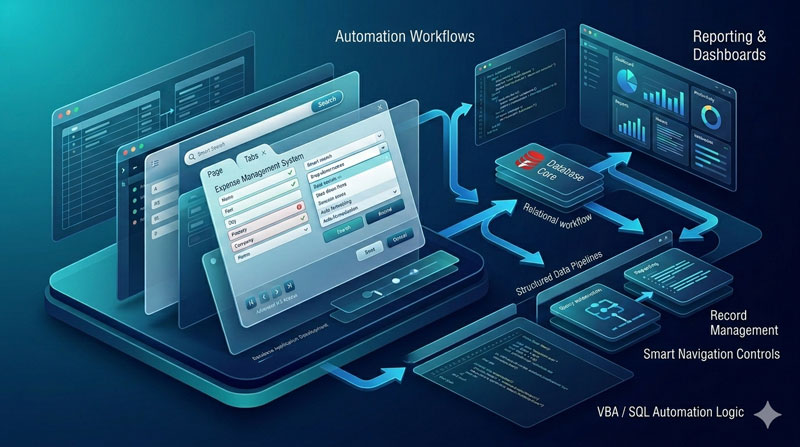
If you’ve ever worked at a small or medium-sized business, you know the pain of tracking expenses manually. Someone submits a receipt on a sticky note, a manager approves it over email, and by the end of the month no one really knows where the money went. It’s messy, slow, and frankly easy to abuse.
That’s exactly the problem this two-part YouTube playlist from SkillHeader sets out to solve. Titled “Multi User Expense Approval System in Access,” the series walks you through building a fully functional expense management application right inside Microsoft Access — complete with a login system, separate user and admin interfaces, and an approval/rejection workflow.
Here’s a full breakdown of what the playlist covers, why this kind of system matters for any business, and how the whole thing is structured.
What Is the Playlist About?
The playlist is split into two videos:
Part 1 – Setting Up Your Expense Approval System covers the foundational work: designing the database tables, building the user-facing form where employees submit expenses, and customizing the login system so different users land on different dashboards after signing in.
Part 2 – Building a Powerful Admin Dashboard for Expense Tracking covers the manager side of things: a central dashboard that shows key financial statistics at a glance and lets an admin approve or reject every incoming expense request with a single click.
Together, the two parts give you a complete, working system you can adapt for a real business.
Why Does an Expense Approval System Matter?
Before we get into the technical details, it’s worth asking — why build this at all? Can’t a spreadsheet do the job?
The honest answer is: a spreadsheet can hold data, but it can’t enforce a process. An expense approval system does something fundamentally different. It creates a structured workflow where every rupee or dollar spent has to go through a defined path before it’s reimbursed. That changes the entire culture around spending.
Here’s what that actually means in practice:
For small businesses especially, this kind of discipline is the difference between growing sustainably and quietly bleeding money.
How the System Is Built — A Structural Breakdown
The Database Foundation
The backbone of the system is an Expense Table in Microsoft Access. It stores everything that matters about each expense request: who submitted it, what category it falls under, the date and time, a description, the amount, and — crucially — a status field called the “Node.” The Node field is what drives the entire approval workflow; it can be set to “Open,” “Approved,” or “Rejected.”
A second table holds user information. The two tables are linked through a one-to-many relationship — one user can have many expenses. This relationship is what makes the multi-user aspect work cleanly.
The Login System
The playlist uses a customized login form that does something smart: instead of sending every user to the same screen after login, it checks the username and routes accordingly. Admins land on the Admin Dashboard. Regular employees land on their personal User Dashboard, pre-filtered to show only their own expenses. This is handled with a small but important piece of VBA code on the login button.
The Employee Side
The user dashboard is a straightforward form that shows the logged-in employee their submitted expenses in a subform. There’s an “Add Expense” button that opens a separate form where they can select a category from a dropdown (Office, Travel, Stationary, Meals, etc.), write a description, and enter an amount. When they hit submit, the record is saved with a status of “Open” and the dashboard refreshes immediately.
This is intentionally simple. Employees don’t need to see anything beyond their own data.
The Admin Dashboard
This is where the system gets interesting. The admin dashboard is built around four live statistics displayed in the header:
- The highest single expense amount for the current month
- The total amount approved today
- The total number of expense transactions this month
- The number of rejections this month
These figures update automatically using Access’s built-in domain functions, so the admin always sees current numbers without refreshing anything manually.
Below the header is a subform that shows all pending (“Open”) expenses across all users. Each row has two buttons: Approve and Reject. Both trigger a confirmation dialog before making any change — a small but thoughtful touch that prevents accidental clicks. When an admin approves or rejects a record, the Node field updates and the subform refreshes to remove that item from the pending list.
What Makes This Approach Practical
One of the things worth highlighting is that this entire system is built in Microsoft Access – software that most businesses already have as part of a Microsoft Office licence. You don’t need to pay for enterprise expense management software, set up a web server, or involve IT for a complex deployment.
That said, the techniques used here — VBA event coding, relational tables, subform linking, and domain aggregate functions — are the same building blocks used in much larger Access applications. Learning this project gives you real, transferable skills.
The system also uses a Login System as its entry point, which means user-level access control is built in from the start. Employees can only see their own records. Only the admin can approve or reject. That’s a proper separation of roles, not just a visual trick.
Who Should Watch This Playlist
This playlist is a good fit for you if:
- You’re an Access developer or learner looking for a practical, complete project to study
- You work in a small business that currently handles expense approvals over email or on paper
- You want to understand how multi-user Access applications handle different roles and interfaces
- You’re curious about integrating VBA logic with Access forms and tables in a real-world context
You don’t need to be an expert. The series is structured to build things step by step, and the SkillHeader blog has the full VBA source code published alongside the videos for reference.
Final Thoughts
Expense management is one of those things every business needs but few small businesses bother to formalize — until something goes wrong. Building a proper approval system in Access is a realistic, low-cost way to bring structure and accountability to the process without overcomplicating things.
This two-part playlist covers the full journey from an empty database to a working multi-user system. It’s a genuinely useful project, and the skills you pick up along the way apply far beyond expense tracking.
You can find the full playlist here: Multi User Expense Approval System in Access
FAQs
Are Expense Approval Systems suitable for any business?
Yes, it applies to all businesses where spending is involved. Effective Expense Approval Systems offer customizable approval workflows and integration options to meet the unique needs of each organization.
How do Expense Approval Systems help prevent fraud?
Enforcing approval workflows and providing real-time visibility into spending is a major factor in preventing fraud in an Expense Approval System, as it makes it easier to detect and prevent instances of fraudulent spending.
What are the major benefits of using an Expense Approval System?
Expense Approval Systems offer benefits such as cost control, compliance enforcement, and streamlined processes, improving efficiency and financial health.