
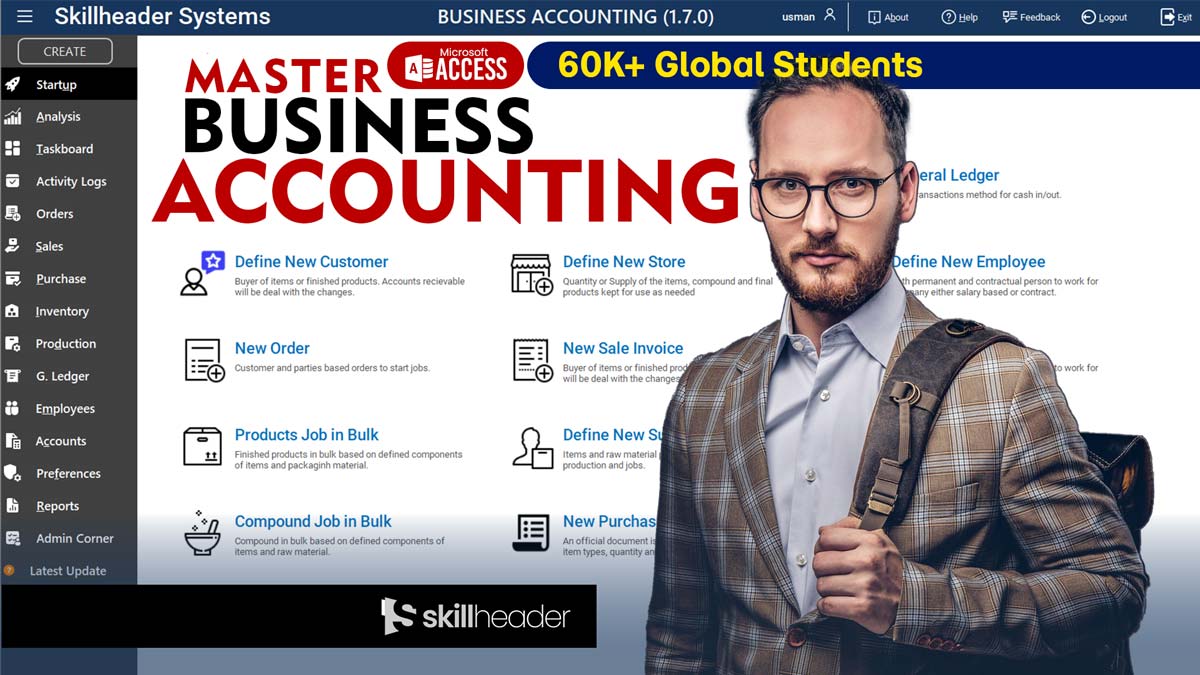
QuickBooks charges hundreds per year. Xero bills you monthly. And neither lets you change a single thing about how they work. If you run a small or medium business, you are paying for software built for someone else. This guide shows you how to build a complete business accounting system in MS Access with VBA — covering user logins, inventory management, Chart of Accounts, double-entry journal entries, profit and loss statements, and a real-time financial dashboard. It is based on a free 34-part YouTube series that took over three years to build from scratch. No subscription. No vendor lock-in. A fully custom accounting system that runs on software you already own.
This is not a beginner tutorial. It is a professional project that happens to be taught in a way beginners can follow. By the time you work through all 34 parts, you will have built something that genuinely competes with commercial accounting software — fully customized to how your business actually works, running on software you already own, with no ongoing fees.
The Real Cost of Off-the-Shelf Accounting Software
Most small and medium businesses pay for accounting software the same way they pay for electricity — it is just a recurring cost they accept without questioning. But unlike electricity, accounting software is something you can build yourself, own outright, and customize completely. The only thing standing between a business and that freedom is knowledge — and this series provides exactly that.
Beyond the cost argument, there is a more important reason to understand the system behind your finances: control. When you build your own accounting software, you understand exactly how every number is calculated, where every entry goes, and what every report is actually measuring. That kind of clarity changes how you make decisions. You stop relying on dashboard numbers you do not fully understand and start reading your own financial data with confidence.
The businesses that understand their own numbers are the ones that survive hard times and grow in good ones. This system gives you that understanding — not just the software, but the accounting logic behind it.
SKILLHEADER — MASTER BUSINESS ACCOUNTING SERIES
The series also teaches real accounting concepts — not just how to build forms and write VBA, but what a Chart of Accounts is and why it matters, how double-entry bookkeeping works and why every debit must have a matching credit, what opening balances are and how to set them correctly, and what the difference is between a General Journal and a Ledger. These are things that make you a better businessperson, regardless of whether you ever touch MS Access again.
A Complete System Across 15+ Interconnected Modules
The finished system is not a collection of disconnected forms. Every module talks to the others. A sale updates inventory, triggers an invoice, posts to the ledger, and rolls up into the Profit and Loss statement — automatically. Here is a quick look at the major building blocks.
🔐
User Management
Secure login, role-based permissions (Admin, Accountant, Viewer), and session tracking with full audit trails.
📊
Chart of Accounts
Hierarchical account structure covering Assets, Liabilities, Equity, Revenue, and Expenses — fully customizable per industry.
📦
Inventory Management
Real-time stock tracking, low-stock alerts, FIFO/LIFO valuation, and automated reorder triggers.
🤝
Suppliers & Customers
Full profiles, credit terms, payment history, spend analysis, and linked purchase/sales workflows.
🛒
Sales & Invoicing
Sales order creation, invoice generation, tax calculations, PDF export, and automatic stock deduction on shipment.
📋
Purchase Orders
Multi-stage PO workflow (request → approval → receipt), smart reorder automation, and supplier notifications.
📒
General Journal
Double-entry debit/credit transaction recording with balance enforcement and period-based controls.
📈
Ledger & Reports
Account-level ledger view, trial balance, and financial reporting — all linked directly to journal entries.
💹
Profit & Loss Statement
Auto-generated P&L report by period, comparing revenue to expenses with gross and net profit calculations.
✅
Task Board
Kanban-style business task management with priorities, deadlines, assignments, and progress tracking.
📉
Analysis Dashboard
Real-time business health overview: revenue trends, expense breakdowns, top customers, and stock movement charts.
🔍
Activity Logs & Audit
Full event logging, real-time activity analysis, and a database reset mechanism for clean testing environments.
Why Building This System Is Worth Your Time
💰
Zero subscription fees, forever
Once built, this system runs on MS Access — software your business likely already has. No monthly billing, no per-user pricing, no surprise cost increases. The total ongoing cost is zero.
🎯
Completely customized to your business
Commercial software is designed for the average business. This system is designed by you, for your specific workflow. Add the fields you need, remove the ones you do not, and change anything at any time without asking a vendor for permission.
🔗
Everything is connected — automatically
A sale automatically reduces stock, generates an invoice, and updates the ledger. A purchase receipt updates inventory and posts a cost entry. Nothing needs to be entered twice, and nothing can get out of sync.
📚
You learn real accounting, not just software
The series teaches the Chart of Accounts, double-entry bookkeeping, opening balances, General Journal entries, and the Profit & Loss statement. These are transferable skills that make you a sharper businessperson regardless of what software you use.
👥
Multi-user ready with role-based security
The system supports multiple staff members with different access levels. An admin has full control. An accountant can manage financial data. A viewer can only read. Sensitive data stays protected — even inside a small team.
🛡️
Full audit trail on every action
Every login, every edit, every deletion is logged automatically with a timestamp and user ID. This makes the system audit-ready, helps catch errors, and gives management full visibility into who did what and when.
📊
Real-time dashboards and financial reports
The analysis dashboard shows live revenue trends, expense breakdowns, top customers, and stock movements. The P&L report and ledger reports generate from live data — no manual exports, no spreadsheet manipulation required.
🤖
Smart automations that save hours every week
Auto pricing rules, automatic low-stock alerts, smart purchase order triggers, and VBA-driven calculations reduce the manual work that typically eats up hours of accounting time every week.
The Financial Knowledge You Will Build Along the Way
This series does not treat accounting as a black box. It explains the concepts behind every feature as it builds them. By the end, you will understand these terms not just in theory but in practice — because you will have built the system that implements them.
| Concept | What It Means | Where It Appears |
|---|---|---|
| Chart of Accounts | The master list of all account categories — Assets, Liabilities, Equity, Revenue, Expenses — organized in a hierarchy | Videos 3, 4, 18 |
| Opening Balances | The starting financial position when a business begins using the system — previous bank balances, outstanding payables, inventory values | Video 19 |
| Double-Entry Bookkeeping | Every financial transaction has two sides — a Debit and a Credit. The two must always balance. This is the foundation of accurate accounting | Video 20 |
| General Journal | The chronological record of every debit/credit transaction, before it is posted to the Ledger | Video 20 |
| General Ledger | The account-by-account summary of all transactions — the permanent record of the business’s financial activity | Video 21 |
| Profit & Loss Statement | The report that shows Revenue minus Expenses over a period — revealing whether the business made or lost money | Video 25 |
| Cost of Goods Sold (COGS) | The direct cost of producing the goods sold in a period — critical for calculating gross profit accurately | Inventory module |
| Accounts Payable | Money the business owes to suppliers for goods or services received but not yet paid | Supplier module |
| Accounts Receivable | Money owed to the business by customers for goods or services delivered but not yet paid | Customer / Invoice module |
| Role-Based Access Control | A security approach that gives each user only the permissions their role requires — preventing unauthorized access to sensitive financial data | Videos 2, 24 |
| Audit Trail | An automatic log of every change made in the system — who did it, when, and what was changed — used for compliance and error tracing | Videos 31, 32 |
| Just-in-Time Inventory | A supply strategy where stock is reordered only when levels hit a minimum threshold — reducing storage costs and waste | Videos 7, 28 |
From Empty Database to Full Financial System
The series is organized into five natural phases that follow the logical order of building a real accounting system. Each phase adds a new layer of functionality that depends on what came before it. This structure is not arbitrary — it mirrors the actual sequence a developer or accountant would follow when implementing accounting software in a real business.
01
Foundation & Security
02
Operations Layer
03
Sales & Procurement
04
Accounting Core
05
Intelligence & Control
The Video-by-Video Breakdown
Here is the full sequence of all 34 videos, grouped by the phase they belong to.
PHASE 1 — Foundation & Security (Videos 1–4)
01
Introduction — A Complete Business Accounting Solution
Project vision, system demo, core accounting principles (assets, liabilities, equity), and the full development roadmap from blank database to finished software.
02
User Management and Event Logging
Secure login system, role-based access control (Admin, Accountant, Viewer), VBA session handling, and automatic audit log creation for every user action.
03
Chart of Accounts — The Heart of Accounting
Designing the account structure hierarchy, building data entry forms with validation, and creating queries to verify account balances and spot data errors.
04
Advanced Chart of Accounts Grouping & Management
Nested account groups (e.g., Expenses → Office → Supplies), bulk update tools, Excel import/export, and seamless integration with journal and invoice modules.
PHASE 2 — Operations Layer (Videos 5–9)
05
Products and Store Management
Product database design with SKUs, costs, prices, categories and supplier links. Entry forms with real-time VBA validation and foundation inventory queries.
06
Advanced Filtering and Sorting in Forms
Dynamic search filters (wildcards, AND/OR logic), column-header sorting with VBA, and performance optimization techniques for large datasets.
07
Inventory and Stock Management
Real-time stock tracking, FIFO/LIFO valuation, automated low-stock alerts, multi-location support, and inventory valuation reports.
08
Suppliers / Vendors Management
Customer database with credit limits and purchase history, tabbed navigation forms, duplicate detection, and customer insights queries (outstanding balances, top buyers).
09
Customer Management
Customer database with credit limits and purchase history, tabbed navigation forms, duplicate detection, and customer insights queries (outstanding balances, top buyers).
PHASE 3 — Sales & Procurement (Videos 10–16)
10
Sales Order Management
Order header/detail tables, VBA stock checks to prevent over-selling, order status workflows (New → Approved → Shipped), and linked financial records.
11
Invoice Management with Order Items
Auto-generated invoices from sales orders, tax and discount calculations, sequential invoice numbering, PDF export, and email integration.
12
Order Shipping Process
Shipping tables with carrier and tracking info, automatic stock deduction on dispatch, customer status notifications, and accounts receivable updates.
13
Purchase Order (PO) Management
PO workflow from request to approval, status change logging, automated supplier email notifications, and pending PO summary queries.
14
Auto Pricing Process
Pricing rules engine for markups, quantity-based discounts, and customer-tier pricing. VBA scripts auto-apply rules to sales orders and invoices.
15
Complete PO Purchase Order Process
Full PO lifecycle from order to quality check to receipt. Automatic inventory sync on arrival, cost updates, and compliance audit trail.
16
Progress Recap — Evolution of the System
Mid-project review of all modules built, how they connect, common data-mismatch issues and their fixes, and a preview of the accounting core to come.
PHASE 4 — Accounting Core (Videos 17–25)
17
Business Management Startup — Level 1
Business profile setup, company-wide settings, trial runs to verify module readiness, and preparing the system for real financial data entry.
18
Chart of Accounts Startup — Level 2
Industry-specific COA customization, bulk Excel import with data validation, VBA integrity checks, and preparing account codes for journal posting.
19
Accounts Opening Balances — Level 3
Entering historical opening balances with auto-balancing logic, bank statement reconciliation, and safe correction mechanisms for a clean financial starting point.
20
General Journal — Debit/Credit Transactions
Double-entry bookkeeping implementation — recording transactions where every debit must match a credit. Period controls and entry validation built in VBA.
21
Ledger and Financial Reporting
Installing and activating the enhanced Journal/Ledger add-on module — expanding default capabilities with additional posting rules and report views.
22
How to Apply Add-on for General Journal Ledger
Installing and activating the enhanced Journal/Ledger add-on module — expanding default capabilities with additional posting rules and report views.
23
Final Business Startup — Go Live
Complete go-live checklist: verify all module integrations, confirm balance carryovers, test user permissions end-to-end, and activate the live production database.
24
User Access Control
Advanced permission layering — form-level and field-level visibility controls by role, preventing unauthorized access to sensitive financial records.
25
Profit and Loss Statement
Auto-generated P&L report pulling from journal entries and the ledger — period comparison, gross profit, operating expenses, and net profit calculations.
PHASE 5 — Intelligence & Control (Videos 26–34)
26
Business Task Board Management
Kanban-style task management built into the system — assign tasks, set priorities and deadlines, track status, and link to relevant business modules.
27
Advanced Functions of Task Board
Task filtering by user and date, progress reporting, overdue alerts, and bulk status updates — turning the task board into a real team coordination tool.
28
Auto PO Process — Smart Inventory
Automated purchase order creation triggered by stock levels hitting reorder thresholds — zero manual intervention required for routine replenishment.
29
Advanced PO Automation Add-on
Enhanced automation add-on expanding the smart inventory system with multi-supplier comparison, lead time calculations, and demand forecasting.
30
Business Analysis Dashboard
Real-time executive overview with revenue trend charts, expense category breakdowns, top customer rankings, stock movement analysis, and cash flow indicators.
31
Activity Logs and Audit Tracking
Comprehensive event log viewer — filter by user, date, action type, or module. Exportable audit reports for tax compliance and financial reviews.
32
Real-Time Activity Analysis
Live activity monitoring showing current session actions, peak usage patterns, and unusual behavior detection — the final layer of system oversight.
33
Activate Secret Code to Reset Database
A secure database reset mechanism — useful for testing environments, demos, and fresh deployments. Protected by a secret code to prevent accidental activation.
34
Final Review & Project Completion
Full system walkthrough, integration verification, deployment tips for multi-user networks, and guidance on customizing the system for your specific business type.
What Makes This System Different
Videos 17–23 walk through a structured go-live process: business profile first, then Chart of Accounts, then Opening Balances. This mirrors how a real accountant would initialize a new client’s books — and teaches that discipline explicitly.
Several modules are designed as add-ons that can be applied on top of the base system. This means the core database stays lean, and businesses can activate only the modules they need — keeping performance high and complexity low.
Most accounting systems ignore task management. This one includes a Kanban-style task board with priorities, assignments, and deadlines — so the team doing the accounting and the team running the business work from the same platform.
This is not a simplified income/expense tracker. The General Journal enforces proper debit/credit balance, and the Ledger reflects accurate account histories. The P&L statement is built from real journal data — the way accounting is supposed to work.
Stock levels trigger automatic purchase orders. Shipments automatically deduct inventory. Received goods automatically update costs. The entire stock lifecycle runs with minimal manual intervention — a system that genuinely works for you.
A secret-code-protected reset mechanism lets developers wipe and redeploy the database cleanly — without risking accidental data loss in production. A small but thoughtful feature that shows the series was designed for real-world use.
Open Source Available
The complete project source code and database files are available via a one-time subscription on SkillHeader’s website. This gives you a working starting point you can deploy immediately and modify for your specific business — without building every piece from scratch. The YouTube series remains completely free to follow at your own pace.
Three Kinds of People Who Will Get the Most Out of This Series
This series was described by SkillHeader as three years of effort. That shows in the depth of what is covered and the care taken to explain not just the how, but the why. It is appropriate for three different audiences, each of whom will take something different away from it.
The small business owner who wants control over their finances
If you currently use spreadsheets to manage your books, or pay a monthly fee for accounting software you only half understand, this series gives you a path to owning your own system. You will not just get a database — you will understand the accounting behind it. That understanding is worth more than the software itself.
The developer who wants to master MS Access and VBA
This is one of the most comprehensive real-world MS Access projects available on YouTube, full stop. It covers everything: relational table design, complex queries, unbound and bound forms, VBA recordset operations, form-level security, report generation, and system architecture across 15+ interconnected modules. If you want to prove what Access can do, this project is your evidence.
The accountant or finance professional who wants technical skills
If you understand accounting but have always relied on commercial software to implement it, this series shows you the logic that sits beneath the surface of any accounting system. You will see how a Chart of Accounts maps to database tables, how a journal entry becomes a ledger balance, and how that ledger balance feeds into a P&L report. That technical transparency makes you sharper at your job and more capable of evaluating or customizing any system you work with.
A Three-Year Project That Earns Its Length
Thirty-four videos is a serious commitment. But consider what you get at the end: a complete, multi-user financial accounting system with inventory management, sales and purchasing, double-entry bookkeeping, automated reporting, a business dashboard, and an audit trail — built on software you already own, with no ongoing fees, and customized exactly to how your business works.
The series respects your time by being thorough rather than padded. Every video has a job. Every module connects to the others. Every accounting concept is explained in plain language before it is implemented in code. This is the kind of project that shows up years later in your portfolio and in your business, still running exactly as you built it.
Whether you watch every video, use the source code as a starting point, or simply study the architecture to inform your own projects, the Master Business Accounting series is one of the most substantial free educational resources available for anyone serious about MS Access, VBA, or financial systems development.
Ready to Build It?
Watch the complete 34-part series — free on YouTube. Follow along step by step, or download the source code to hit the ground running.
34 videos | 100% free | 3+ years of expert knowledge
Watch the full tutorial on YouTube: Master Business Accounting Project by Skill Header, and download the practice files at skillheader.com.