
Build a complete Budget and Expense Tracking System in Microsoft Access and learn how to manage financial data through automated workflows, categorized transactions, reporting dashboards, and user-friendly forms. This premium project subscription provides full access to the database files, VBA automation, budgeting modules, expense tracking features, and reporting tools used to create a practical financial management solution in MS Access. Whether you want to improve your database development skills, customize the system for personal or business use, or study how professional Access applications are structured, this project gives you a real-world solution you can learn from, modify, and expand.
Download Compete Project Files with Source Code in:
$
30
.00 60.00
Get your payment link after filling the form below
What You Will Get Unlocked?
Get Help: help@skillheader.com
Please fill out this form, we will get back to you soon
By using our projects, you agree to comply with the terms and services. If you have any questions or need further clarification, please feel free to contact us.
Video Playlist Preview
Details
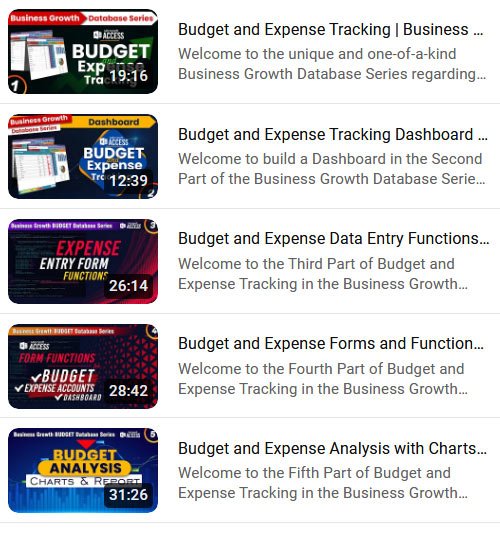
1. Budget and Expense Tracking
Duration: 19:16
This video is about establishing the building blocks of the Database related to Tables, Queries, and Forms in design with advanced features.
2. Budget and Expense Tracking Dashboard
Duration: 12:39
This video is about creating and designing the Dashboard of the Database. There will be 2 queries and a Main Form included.
3. Budget and Expense Data Entry Functions
Duration: 26:14
We are going to make our Expense Data Entry Form Functional with advanced features.
4. Budget and Expense Forms and Functions
Duration: 28:42
In this video, we are going to make the remaining 3 forms functional including Budget Form, Expense Accounts Form, and Main Dashboard From
5. Budget and Expense Analysis with Charts and Reports
Duration: 31:26
We are going to make the Budget and Expense Analysis using Charts and Queries, Expense Summary, Budget Report, Expense Analysis, and Expense Details
FAQs
How I Can Get a Trial Version?
Simply enter your request and our team will contact you to provide assistance for a successful implementation.
Is there any help or assistance available for my Project?
Yes, you can contact skillheader team at any time to get help with the project through this email help@skillheader.com