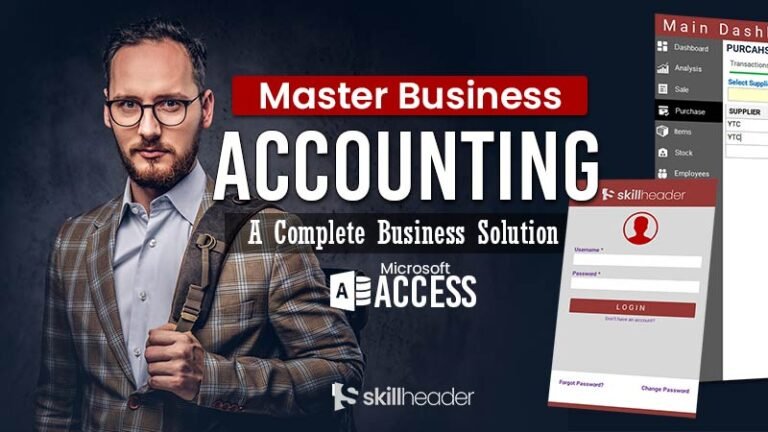
A login system is an essential tool to implement user authentication in your app. It acts as a gateway to your database, allowing you to verify the identity of your app’s users. This enhances the security of your app and ensures that only authorized individuals can access certain features or data within it.
Integrating the Ultimate Login System in your database enables you to manage single or multiple-user authentication control, making it the gateway of any database.
Benefits of the Ultimate Login System
There are several benefits of the Login form in your database. It can add a valuable feature with major key advantages described here:
Preventing Unauthorized Access
Because of the user-restricted authorized process, it is better for securing data from unauthorized access from outsiders. It provides the best solution in a shared computer environment.
Access Certain Features
By utilizing the Ultimate Login System, the Admin can allocate specific functionalities to a user for performing tasks within the database application. Each user is granted access to certain features, which are visible and functional based on their assigned permissions. For instance, a user may only be authorized to view or maintain the stock, while other options will remain hidden or disabled for them.
User Logs and Tracking
The Login form captures user login information, including date, time, and performed tasks such as creating a sale invoice.
Overview
We are going to learn, how to build a dynamic and professional-looking Login System in Access with advanced features. You can verify the identity of the users with enhanced security and ensure that only the authorized individual can access certain features of your database.
- The user can be logged in with his authentication username and password only
- The login system will check the username and password to verify the data from the data source table.
- The user will be authorized after both the username and password matches
- An error message will appear if the credentials do not match
- There is a password mask applied to avoid viewing the password
- The user can change his password or even recall the password if forgotten
Implementation of Ultimate Login System
We have already successfully implemented the MS Access Ultimate Login System into the skillheader projects where multiple user interaction is possible. Every user is authorized to use certain database features assigned by the admin after successful login.
Here are some projects where we have already implemented the Login System as a gateway of the database:
- Budget and Expense Tracking Database
- Access Reception Database | Front Desk Record-Keeping System
Building with Source Code
The project, Ultimate Login System, is divided into five parts. All Access VBA’s source codes are available in the relevant part. Please follow the links to subscribe and get a step-by-step tutorial on how to build.
- Design the Ultimate Login System Form
- Functionality of Login/Logout System
- Change Password System
- Forgot Password System
FAQs
How can I build multi-user authentication permissions in MS Access?
By the end of this project, you will be able to make a multi-user-level authentication system. You can assign different forms to open for the users after successful login.
Can I integrate multi-factor authentication(MFA) into my MS Access login system?
The simple answer is Yes, you can integrate multi-factor authentication into your MS Access login system which includes PIN, unique code, barcode, etc. The fourth part of this project describes, how you can use your phone’s last 5 numbers to use forgot password system. The same can be used for the login system.
How do I secure my MS Access database login from unauthorized access?
You can create separate login information in the table including the password for each user and assign specific forms to affiliates for each feature of the database application.
What techniques can I use to handle forgotten passwords and enable users to reset them securely?
You can use different methods other than the password to handle forgotten passwords reset such as PIN, Code, and last digits of the phone or ID card. In the fourth part of the project, you can learn how to use a forgotten password system.
What are the steps involved in creating a login form in MS Access?
You need to create a form in design which is the first part of this project. Create a user table containing basic information and the login username and password of each user including level and status. You have to include some VBA coding for forgot password and change password buttons which is covered in the third and Fourth parts of this project.