
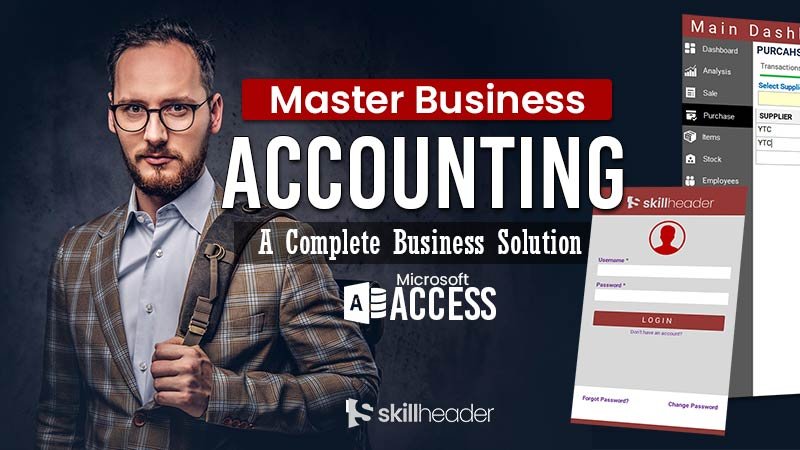
Welcome to the Mega Project of Master Business Accounting in MS Access. The efforts and hard work behind this masterpiece will bring you to the top.
Single Payment for the complete project with Source Code!
Get discount today, as the price will gradually increase.
$
90
.00 150.00
Fill out the Form below to Get your Payment link
What You Will Get Unlocked?
Please fill out this form to request a payment link
By using our projects, you agree to comply with the terms and services. If you have any questions or need further clarification, please feel free to contact us.
Master Business Accounting Project Details
1. Main Dashboard, Login Form, Mapping & User Rights | 7%
Duration: 1:01:32
- Main Dashboard designing with Navigation Control
- Integrating Form with Navigation Button
- Login Form and Multi-User Login System
- Add New User Form
- User & Profile Table
- Login Button Function and User Level Process
2. User Management using CRUD Event Log System | 15%
Duration: 7:34
- Dashboard Tab Control Design
- User Management Form
- CRUD System with Add New User, Edit, and Delete Users
- Event Log Table and Integration with Login From
- Event Log Integration with the Add User From
3. Chart of Accounts in Business Accounting | 20%
Duration: 57:47
- Building Accounts Tables related to Primary, Group, and Sub Accounts
- Importance and the types of the Chart of Accounts
- Main Accounts Form
- Add New Accounts Group Form
- Ultimate Pop-Up Alert Message
4. General Chart of Accounts Grouping and Management | 25%
Duration: 36:43
- Dashboard Navigation Controls
- Adding Accounts Balance in Chart of Accounts
- Add New General or Sub Accounts Form
- Updating Balance in Chart of Accounts
- Creating Customer and Supplier Table
5. Products and Stock Management | 30%
Duration: 43:51
- Add New Items or Products, and Store Tables
- FIFO and LIFO Business Accounting Terminologies
- Add New Items or Products, and Store Forms
- Value Additions in the Products Form
- Integrating Forms with the Main Dashboard

6. Advanced Filter and Sorting in Forms | 34%
Duration: 22:39
- Add New Items or Products, and Store Tables
- Unique Data Sorting Method in a Continuous Form
- Advanced Multiple Search and Filter Methods with Search as Type
- Filter Data Using Drop-Down List of Item Type
- Adding Custom Option to Show All Records
7. Inventory and Stock Management | 40%
Duration: 45:24
- Inventory Main Form
- Stock Form
- Stock Query for Form and Reports
- Stock Report
8. Suppliers & Vendors Management | 44%
Duration: 31:54
- Purchase Form
- Suppliers Form
- Add & Edit Supplier Form
- Customized Message Box (msgbox)
9. Customer Management | 47%
Duration: 26:33
- Sales Form
- Customers Form
- Add & Edit Customer Form
- Forms Integration with the Main Form

10. Sales Order Management | 51%
Duration: 57:06
- Tables for Sales Order, Items, and General Template
- Template Form
- New Order Form
- Order Management Form
11. Invoice Management | 56%
Duration: 51:07
- Tables & Relationships for Invoice, Invoice Items, Waybill, Transporter
- Main Invoice Form, Order List
- Order & Invoice Items Sub forms

12. Order Shipping Process | 60%
Duration: 01:02:43
- Sales Order Edit Form
- Sales Invoice Note and Template Integration
- Waybill and Transporter Forms
- Sales Order Status (Pending, Partially Invoiced, Fully Invoiced)
13. Purchase Order PO Management | 63%
Duration: 23:05
- Purchase Order Tables
- PO Tables Relationships
- New PO Form
- Main PO Form
- Key Features of Next Milestone
14. Auto-Pricing Process | 66%
Duration: 34:59
- Auto Pricing in New Order From
- Update Backend Price from New Order Form
- Help Message Box
- Update Backend Price while Changing in Invoice
- Update Customer Payment Terms and Balance
- Update Invoice Amount in Customers & Accounts Receivable
15. Complete PO Process | 70%
Duration: 44:18
- PO Process Form
- First Process PO Initiation
- Second Process Inventory Received
- PO Table Update
- Third Process Supplier Bill
- PO Amount Add in Supplier and Payable Accounts
- Extended Features of PO Process Form
16. Progress Recap | 70%
Duration: 14:32
- Incredible Progress of the Project
- Outline of the Next Phases
- Added Features in the Main Dashboard From

17. Business Management Startup Level 1 | 73%
Duration: 34:09
- Business Management, Category, and Type Tables
- Updating Sub Form
- Upgrade Chart of Accounts Table and Form
- Business Management Form
- Business Management Startup Form
18. Chart of Accounts Startup Level 2 | 75%
Duration: 20.23
- Upgrading Chart of Accounts with Built-in Accounts
- Accounts Edit and Delete Functions
- Integrating Chart of Accounts with Business Startup Form

19. Accounts Opening Balances Level 3 | 77%
Duration: 19:51
- Customer Balances Startup Form
- Suppliers Balances Startup Form
- Inventory Stock and Store Startup Tab

20. General Journal Debit Credit Transactions | 80%
Duration: 51:53
- Folio, General Journal, and Ledger Tables
- General Journal Transactions Form
- Main Folio Form
- Integration of the Forms with Main Dashboard





How do I get updated on the new video?
This page will be updated with the new content. We will inform you through an email and you will automatically be unlocked for the latest video in the playlist.
In case I am stuck in my project, where can I get help and support?
We are available to help with your project. Email us at help@skillheader.com and our team will try to update you as soon as possible.